Your guests are going to take a LOT of photos. Here’s how to actually get your hands on them.
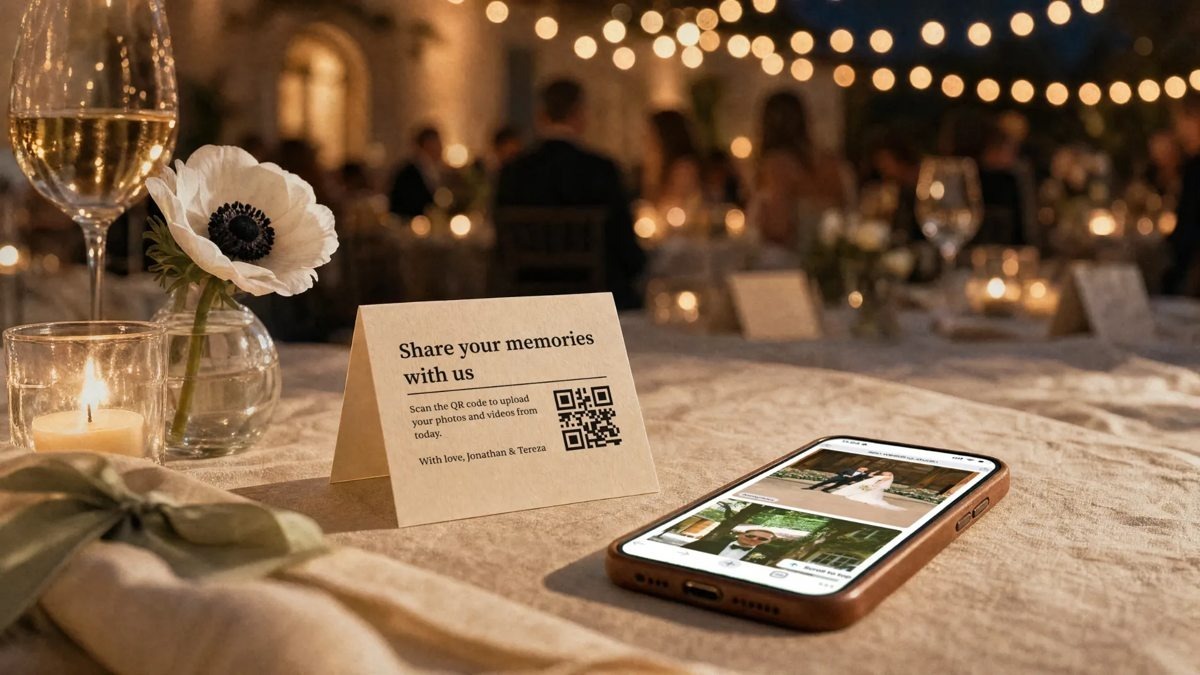
One scan and your guests are in the album. Image: Wedding Studio.
You’ve booked the photographer, mapped out the timeline, and debated whether you really need a second pair of shoes (you do). But there’s one photo question that tends to show up late: how are you getting all the pictures everyone else takes?
That’s what a wedding photo-sharing app is for. Guests scan a QR code (or tap a link you send them), upload from their phone, done! The catch? Apps that look identical can have wildly different guest limits, upload deadlines and prices. So we went through the pricing pages and the fine print for nine of them, and one came out clearly on top.
Our top pick is Wedding Studio, a premium QR code guest photo album. Guests upload photos, videos and voice messages from their phone’s browser, with no app and no account. You get a guest page styled to match your wedding, printed QR cards or boards if you want them, and an album that’s active from the moment you purchase until 24 months after your wedding. Plans are a one-time $29, $69 or $99, depending on guest count.
The best wedding photo-sharing apps at a glance
First, what it costs and how long guests can keep uploading.
| App | Best for | Price | Guests can upload for |
| 1. Wedding Studio | Best overall and most premium guest experience | $29 (25 guests), $69 (100), $99 (unlimited) | From the moment you purchase until 24 months after the wedding |
| 2. GUESTPIX | Invitations and RSVPs | $49, $89 or $119 | 3 months, 12 months, or 24 months from purchase |
| 3. GuestCam | Audio guestbook | $49 or $97 | 6 or 12 months |
| 4. Pix | A simple flat price | $44, $54 or $84 | 3 months, 6 months or 1 year from the event |
| 5. POV | Disposable-camera fun | Free for 10 guests; $4.99 (25) to $89.99 (250) | Varies; check current terms |
| 6. Wedibox | RSVP and meal tracking | $49 or $79 | 6 months or 1 year |
| 7. WedUploader | Google Drive fans | $39 one-time | No expiration advertised; uses your Drive storage |
| 8. Fotify | Reception extras | $29.99, $49.99 or $79.99 | 30, 90 or 180 days |
| 9. Google Photos | A free shared album | Free within your 15 GB of Google storage | No set window |
The short version: Wedding Studio is the only app here where we found all of it together: a styled guest page on every plan, 24 months of uploads after the wedding, and both printed QR cards and a photobook, plus a whole lot more.
Our top five, up close
1. Wedding Studio: best overall, and our clear winner
If you want the guest-photo part to feel as considered as the rest of your wedding, this is the one. Wedding Studio gives you a private album with its own QR code. Guests scan it and add photos, videos and even voice messages (hello, slightly tipsy toast from your college roommate). It has all the features you’d expect, too: a live photo wall, unlimited high-quality photo and video uploads, and multiple albums.
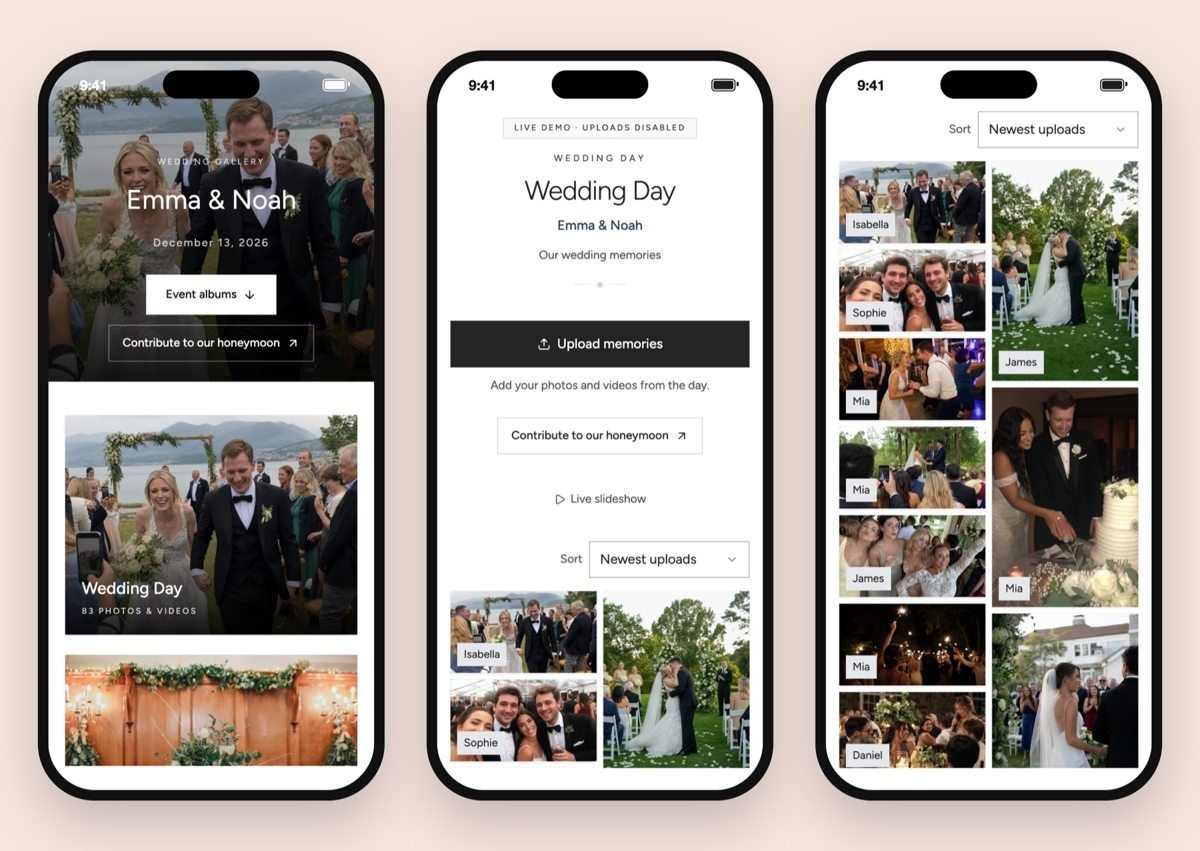
What your guests see. Screenshots: Wedding Studio.
Here’s the guest’s side. They land on your photo, your names and your date, and there’s one big “Upload memories” button. Our favorite detail: each photo carries the name of the guest who added it, so you’ll finally know who caught your dad mid-dance-move.
Every plan also includes full-resolution downloads and a disposable-camera mode. You can style the guest page with your own photo, fonts, buttons and one of eight color palettes, run up to five separate albums, and let the album sort everything into moments and flag the duplicates.
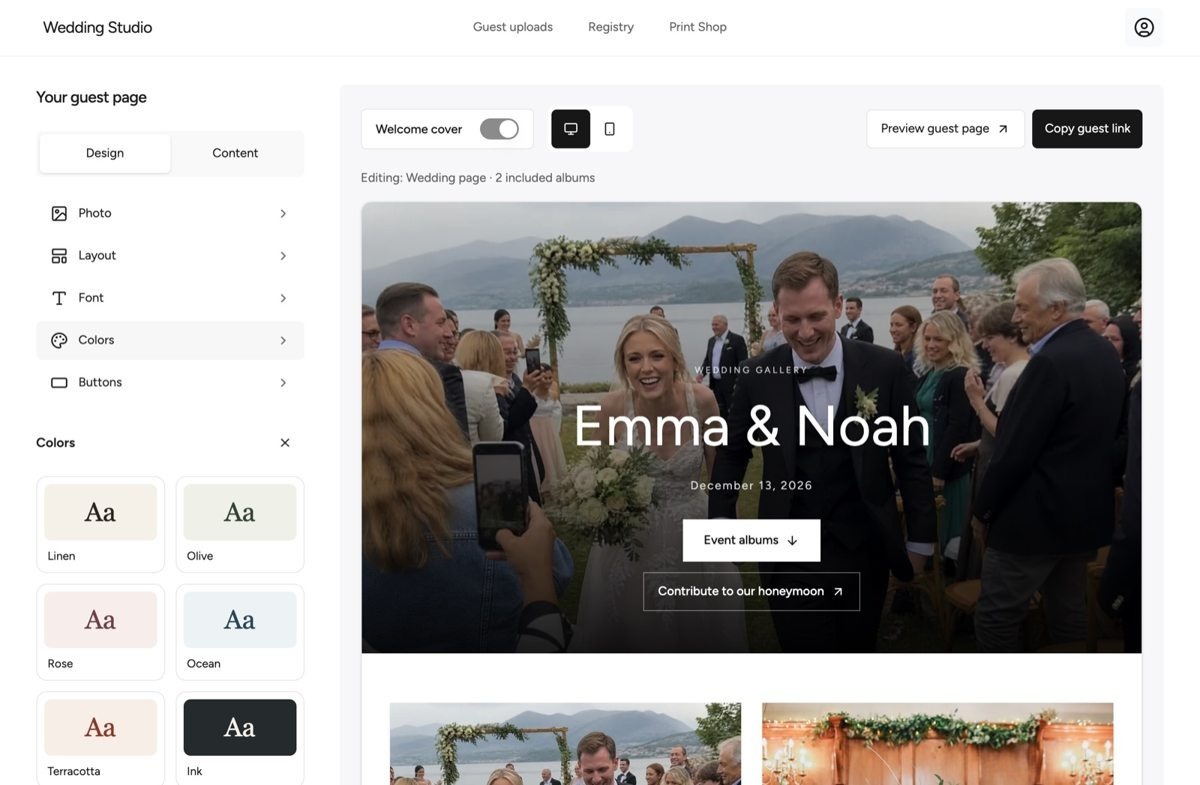
Making the guest page yours. Screenshot: Wedding Studio.
Then there’s the timeline. Guests can keep uploading for 24 months after the wedding, against three months on GUESTPIX Classic and Pix Starter, or six on GuestCam Standard. And the QR code part is done for you! Print the free Canva templates, or have them delivered: 20 table cards for $49, 50 small cards for $79, or 100 for $99, which is under a dollar a card. (WedUploader’s shop, by comparison, charges $5 per printed card.) There are table signs and welcome boards, too, and afterwards you can turn your favorites into a photobook.
It goes beyond photos, too. There’s a free seating-chart maker for your table plan, and you can add a gift registry to the same QR code for $49.
Wedding Studio says it has hosted more than 50,000 weddings, and its reviews page shows 4.8 out of 5 from more than 6,000 reviews. Plans are a one-time payment, with a 100% refund if you’re unhappy.
Our take: It isn’t the cheapest for a big guest list (the $29 and $69 plans cap how many guests can upload), but the gap is smaller than it looks. A full year of uploads on Pix or GuestCam means their top plans, at $84 and $97, and Wedding Studio’s $99 plan gives you two. Not sure yet? There’s a live demo you can click around first.
2. GUESTPIX: best for invitations and RSVPs
GUESTPIX bundles a digital invitation and RSVPs with its photo gallery, from $49. The catch: Classic closes uploads after three months and comes with a default color theme, and there’s no in-house printing.
3. GuestCam: best audio guestbook
GuestCam is the one for hearing your favorite people, with a dial-in phone guestbook on Premium ($97). The catch: the $49 Standard plan has one main gallery, six months of uploads and no color themes.
4. Pix: best simple, flat-price pick
Pix keeps it simple: unlimited guests, photos and videos from a one-time $44. The catch: it’s a simpler package. Starter closes uploads three months after the event, Pix’s branding stays on below Pro, and the QR templates are print-it-yourself.
5. POV: best disposable-camera experience
POV turns photo-taking into a party game: you set how many shots each guest gets and when they’re revealed. The catch: prices climb with the guest list ($64.99 for a 150-person wedding), and it’s more camera game than browser album, so test the join flow on an iPhone and an Android first.
Also in the tables: Wedibox for RSVP and meal tracking, WedUploader for photos sent straight to your Google Drive, Fotify for a live photo wall (though Wedding Studio has that too), and Google Photos if free matters most.
The bottom line
You don’t need to turn every guest into a content creator. You just need an easy, welcoming way for them to share what they catch. Our pick, by a comfortable margin, is Wedding Studio. Now go make a little room for the moments you never knew were happening!
We partnered with Wedding Studio to bring you the best ways to share photos from your wedding with your guests. As always, thanks for supporting our sponsors!
Continue to next story