All DIY Projects

Free Photo Save the Date Calendar Cards

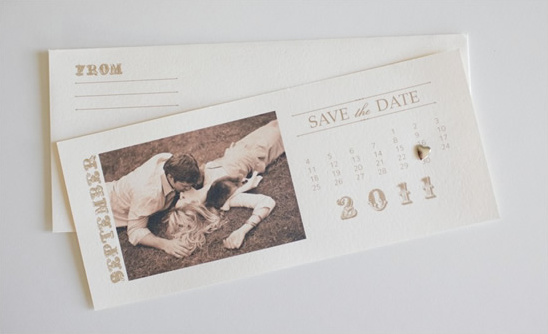
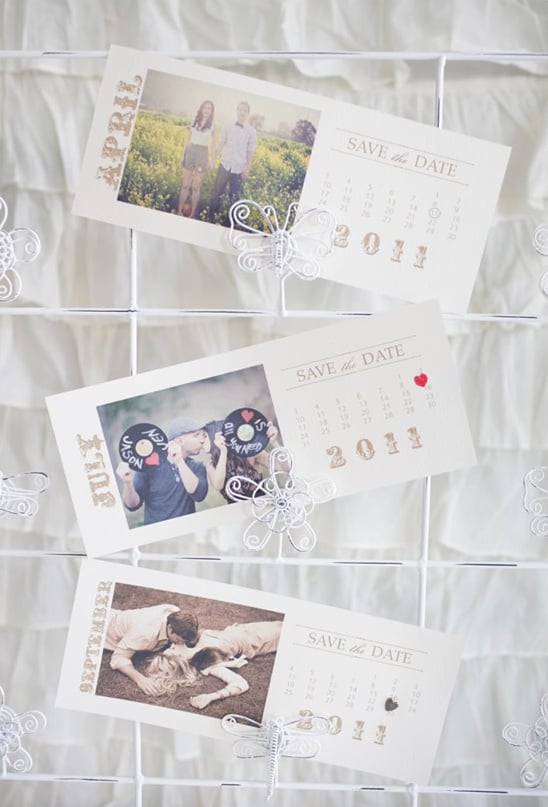
Remember our Free Save The Date Calendar Photo Calendar Cards? Well.. we have created a new one for you that is a little bit on the vintage side.

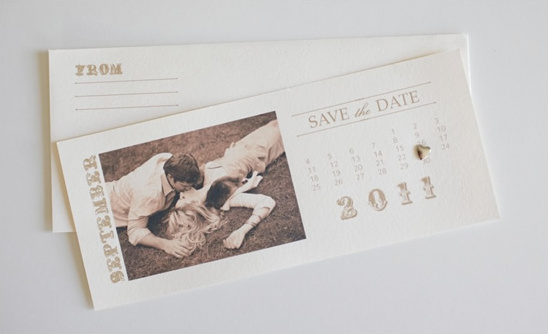
We have created these Free Calendar Save the Dates for every month of the rest of 2010 and all of 2011. Amy is super duper crafty and decided that she would make you more. We hope you love these as well. The download also includes a fancy little envelope to make your Save the Dates super special. Download them here. {They will take a bit to download because they are 300 dpi files.}

We used some of our favorite photographers as examples. The above photo is from Elizabeth Messina. How dreamy is that picture?

Supplies Needed:
- Printer, we love the Epson Stylus Photo 1400
- #10 Luxe Fino Cream Flat Cards 25 for $6.25
- #10 Open End Luxe Fino Cream Envelopes 10 for $5.50
- Stamp and Ink, or Brads and a 1/8 inch hole punch.
- 4—3 Photos (if you would like to attach an actual photo to the card)

Choose your favorite photo and print or trim to 4 inches by 3 inches and attach it to your Save the Date. You can go to your local photo lab or print them yourself on photo paper. (We have printed the image directly on the card.
Photographs:

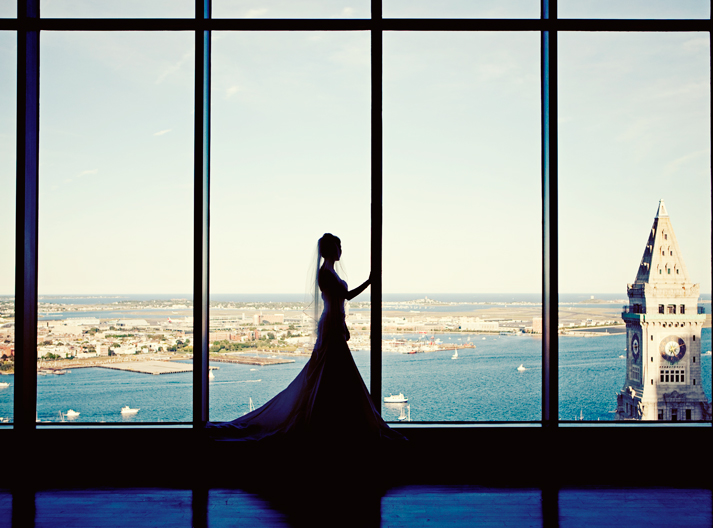
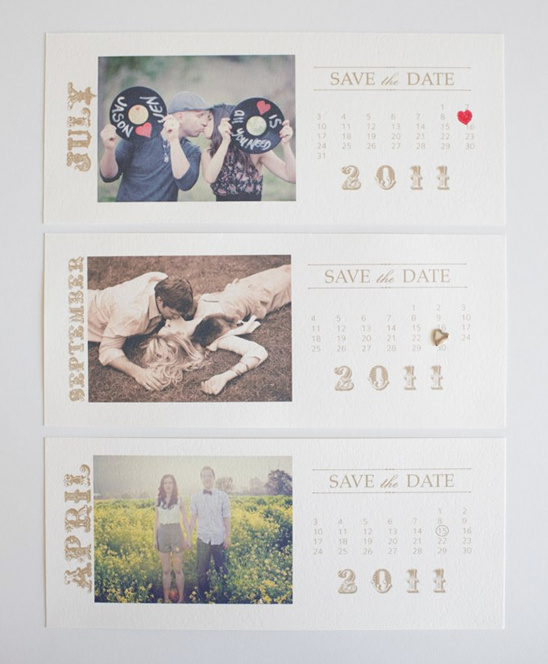
The first photo is taken by Caroline Tran and is actually one of sister wedding bloggers Jenn from Green Wedding Shoes. You can see her entire love shoot by clicking here.

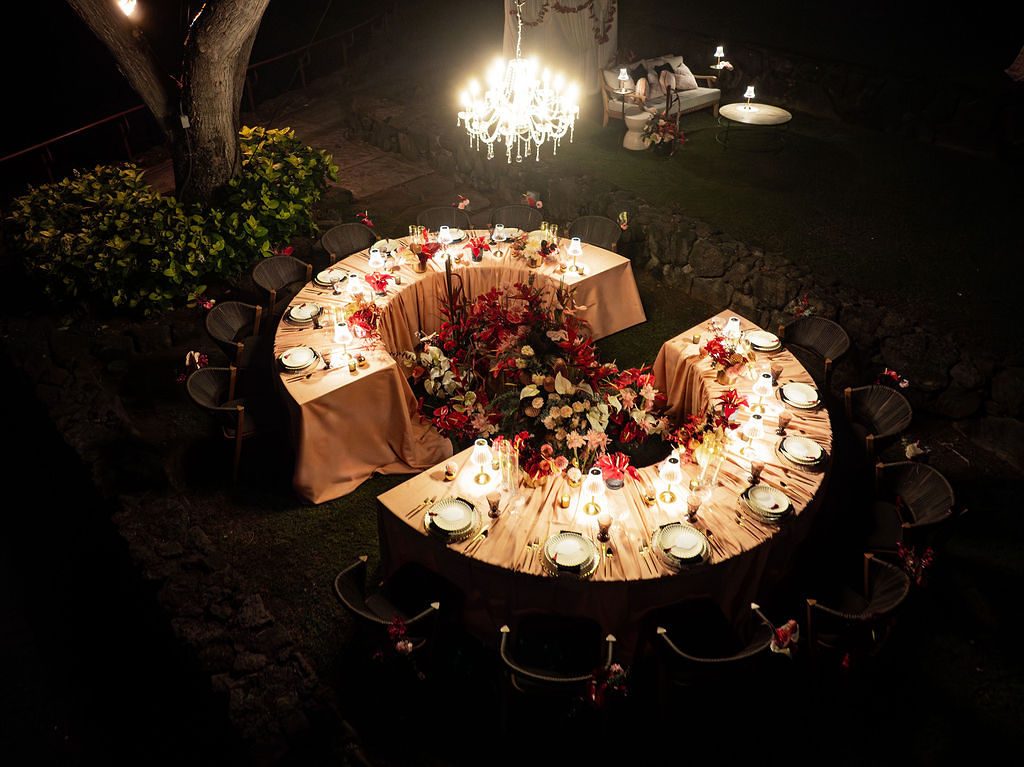
The second is by the lovely Elizabeth Messina

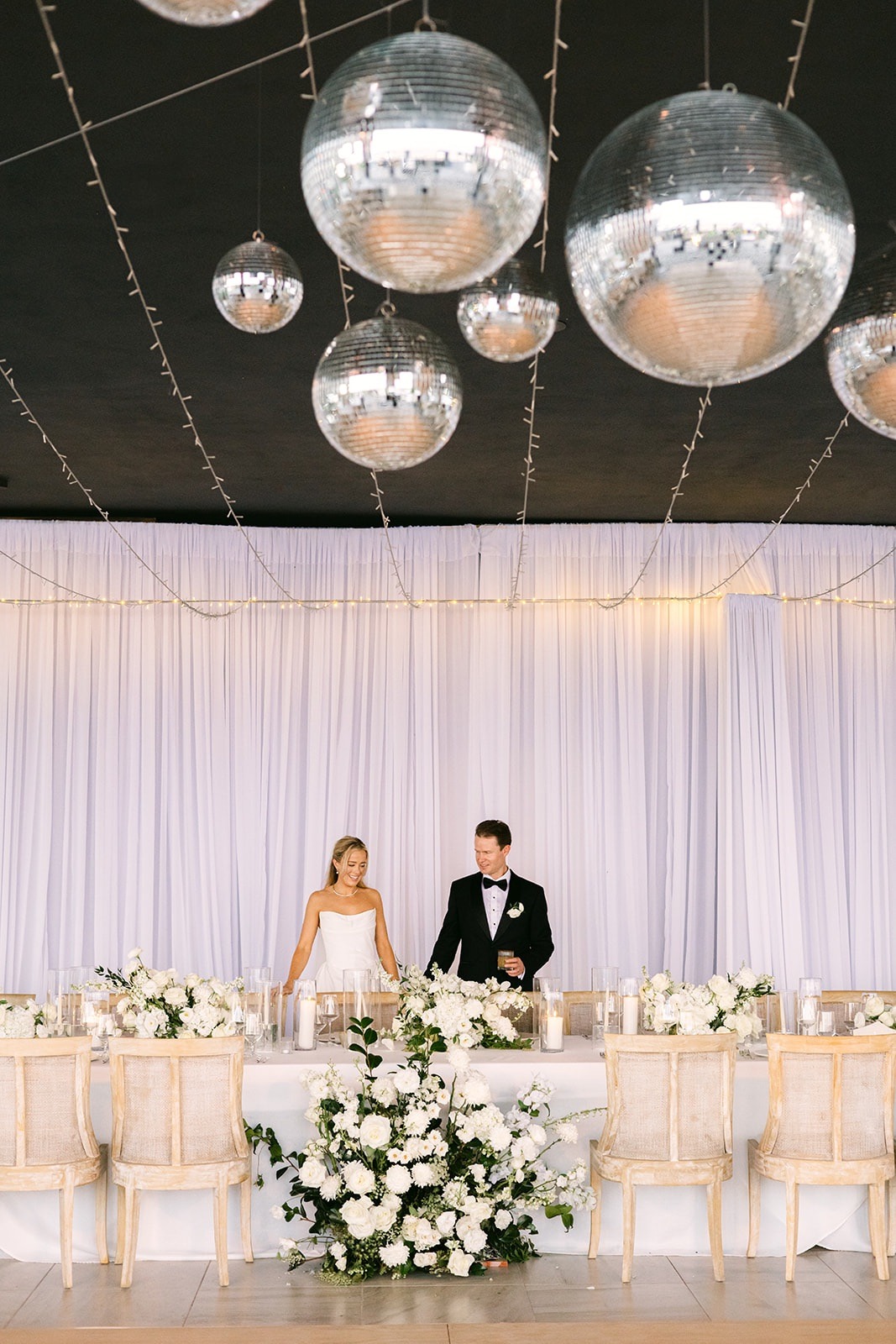
The last photo is by Chenin Boutwell, it is actually from our engagement shoot that we featured yesterday. To see the entire shoot click here.

Print out your cards. We used the Epson Stylus Photo 1400 and it’s amazing! Perfect for all of your wedding DIY projects.
We got our card stock and envelopes at Paper Source.
#10 Luxe Fino Cream Flat Cards 25 for $6.25
#10 Open End Luxe Fino Cream Envelopes 10 for $5.50
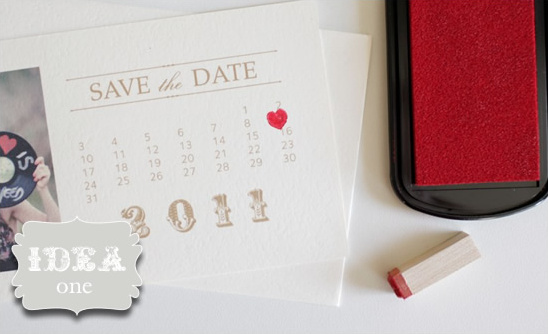
Idea One:
Another cute way to mark your date is with a stamp, we chose a heart. Stamp and ink from Michael’s. This is my personal favorite. Super sweet and adds a pop of color.
Idea Two:
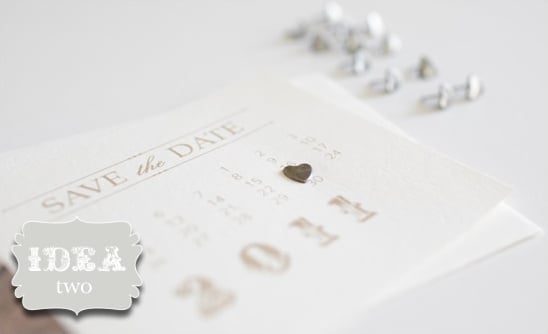
Brads are super cute! We found these little gems at Micheal’s and used a 1/8 hole punch.
Idea Three:
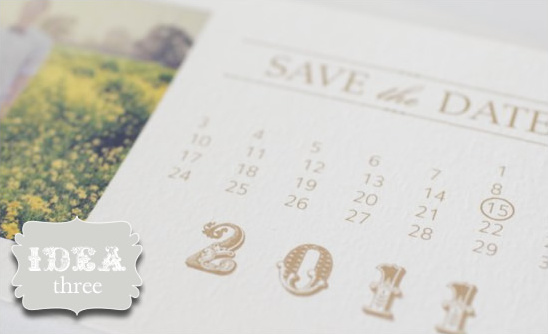
If you have access to any photo editing program, you can simply create a circle graphic to mark your date. Or you can just draw in a circle by hand and get some friends to help out!
Download your Vintage Save the Date Calendar Cards

59

Categories: All DIY Projects, DIY Printable Wedding Templates
Tags: , , ,

We would love to hear what you whink

  1. Pingback: uberVU - social comments

  2. I tried downloading and extracting the files but it’s telling me I need a password..Help!

  3. nora – that’s weird .. there’s no password. you can email me and i’ll send them to you. (:

  4. I have also tried downloading and it is saying it its password protected!

  5. that’s very weird, we don’t have any kind of password on the downloads .. is anyone else having trouble? the file will take quite a while to download they are 300 dpi files … are they completely done when you are trying to open them?

  6. Pingback: Free photo save the date calendar cards « Onedaybox's Blog

  7. This project is so sweet…=)
    I have password problems…what i have to write?

    Thank you for your help!

  8. there actually is no password … the folder will take a good bit to download as they are 300 dpi files. You can email me and i’ll send you the one that you need!

  9. sorry but during the extractions there is a password request for every file…i’m interested in the whole project…can you send me in my private email?

    thank you

  10. I am also having the password issue…could you email them to me too?

  11. are you on PC computers? that might be it .. maybe you can’t open the zip file … if you would like me to email them to you, just email me and ask. (:

  12. Pingback: Weekly Fixations – April 2, 2010 « Mollie Tobias Photography Weddings and Portraits

  13. Pingback: {Happy Weekend} « Utterly Engaged } The 1st Online Wedding Magazine. Inspiring Budget Savvy Brides with Style.

  14. I love these! But I’m having trouble downloading as well. I had no problem with the other save the dates, but for some reason these vintage ones don’t open up? Is it possible to send me the file for October 2010? Thanks!

  15. I am using this idea. Perfect, exactly what I was looking for, fits perfectly with my theme!!!! THANK YOU SOO MUCH!

  16. I love these little calendars! Could you tell me how I can upload a picture right onto the card, just like you did in the samples pictured above?

    Thanks!
    Asha

  17. This are so pretty and sweet! Is there any way to change the font color? My colors are navy and pink, and I would love to have the font be navy! Any ideas??

  18. I have been looking on the internet today for other ideas for save the date cards where I can refer customers to should our cards not be suitable for them.

    We have some lovely save the date card designs here Save the date cards printed
    Our cards are professionally designed and hand printed using hot foil technique.

  19. I love the way you’ve printed the sepia image directly on the card…is there a way we can do that with these files? When I open them they open up ad jpegs in Microsoft Photo Editor. Thank you!!

  20. How do paste a picture into the file? I love these but cant figure out how i would insert a photo. please help!

  21. Has anyone figured out how to load the picture in the file to print on the card?

  22. I have saved the calendar layout as a jpeg, imported it into Microsoft PowerPoint, then inserted the picture into the slide. Then saved it back as a jpeg. Worked for me.

  23. I have been trying to download the April 2011 save the date, in the new vintage style with no luck, I would love for you to email it to me if you could, thank you so much, Donna. Your site is so beautiful.

  24. Pingback: Weekly Fixations – April 2, 2010 | The Mollie Tobias Photography Blog

  25. I need help changing the font color. It is an awesome idea but I need to make it darker. Please help

  26. I love these cards I have printed mine and everyone says how loverly they are. Any chance of a wedding invite template if not could you let me know what front the date is written in so I could try and match them up

  27. Pingback: Free Wedding Save the Date Downloads | Inspirations & Creations - Elizabeth Anne Designs: The Wedding Blog

  28. Hi…

    Is it possible for you to tell me what font was used in these? Not only do I LOVE the Save the Dates but I LOVE the font as well.

  29. Pingback: Super Cool Save the Dates @ Enchanted Dream Weddings & Affairs

  30. Best you could edit the blog name title Free Save The Date | The Wedding Chicks to more generic for your content you create. I loved the blog post yet.

  31. I am using the vintage monogram template for my wedding and this will go perfectly! The only problem is I need ones for 2012! Would you mind making ones for 2012 or where we can type in the info ourselves and pick colors like in the monogram section?

  32. Lauren – my colors are also navy and pink so I used this template to change the color (and fonts) to navy! I am pretty Illustrator savvy so it was fun. I wouldn’t mind sharing mine with you if you want – email me :)

  33. Oops just realized there is no way to email me from the comment… its alphaphibubbles at yahoo.

  34. Does anyone know the font used on the month & year? Love it, but it comes out with little dots behind when I print.

  35. You can change the color of these by copying and pasting these into Microsoft Powerpoint, have a blank slide. Click on the image and the format tools will show up in the ribbon. Under Adjust go to recolor.. and select the color you want. PowerPoint also works well if you have a picture you would like to print with it. Just paste your picture into the slide and move it in the box, and wah la!

  36. Hi! I’ve looked all over for the heart stamp…I didn’t think it would be hard to find…could you tell me the brand…or where I could find one similar?

  37. I had a tough time finding the heart stamp, eventually found one at rubberstamptapestry.com. I also really want to know what font is used, and I have tried other fonts (had to change the colors and layout slightly in Illustrator) but nothing fits the “feel” of it quite as nicely.

  38. I’m loving these save the dates but can not get them to save, copy, print. I can only look at them once they have been downloaded. can you please email me July 2011?

  39. I would like to know if you already have a downloadable vintage save the dates card for March 2012?I really love your sites and the diy things that you posts here and this save the dates cards is one of the best :) hope to hear from you. Thank you so much! :D

  40. I also would LOVE to have months for 2012…specifically October! Is this possible?

  41. Angel,

    Have you heard anything back from anyone yet re:2012 dates for these?

  42. I love these but my wedding is Nov 2012. Is it possible to get some for then please? :)

  43. these are lovely!!! i was wondering if you have april 2012 for download?
    thanks!

  44. Hi, I love these little templates, I however cannot open it could you email me your August 2012 template?

  45. The download for 2012 “save the date” does not download any image? It is blank. Is there a “fix”?
    Thank you!

  46. Any possibility of a template for 2013? I really love this idea but need it for 2013.

  47. I love this idea. I downloaded the file and was able to open all the files but I am not able to alter the image at all. Can you email me a copy for Aug. 2012 and the envelope?

  48. LOVE these!!!! But am not greatly savvy with copy/paste etc to be able to change them for 2013?
    Could the genius creator of these please upload 2013 dates?
    Or could someone who has managed to change the ones already uploaded tell me how?
    THANKS!
    x

  49. I would love to make these for my granddaughters wedding in May 2012 and downloaded them but only get black no picture. Can you email me the template directly please?

  50. I am also interested in this Save the Date template but for September 2013! Also, any ideas for making this a magnet? Or how to easily incorporate magnets so people can save them on their fridge..??

Leave a Reply

*

Please be kind and courteous in your comments! We reserve the right to delete comments that we deem inappropriate, negative, distracting, or rude. If you have a problem with the content of the post, please contact us directly.