All DIY Projects

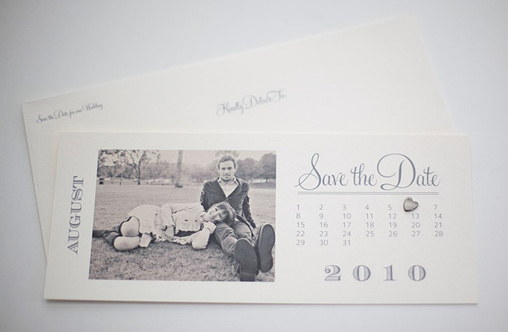
Indie Style 2012 Do It Yourself Photo Save the Date Calendar Cards

Do It Yourself, or DIY, wedding projects allow you to create your own personalized favors and touches that can be applied in any way you can imagine on your special day, for a shower, a party or whenever. All you need are some basic items and a little creativity.

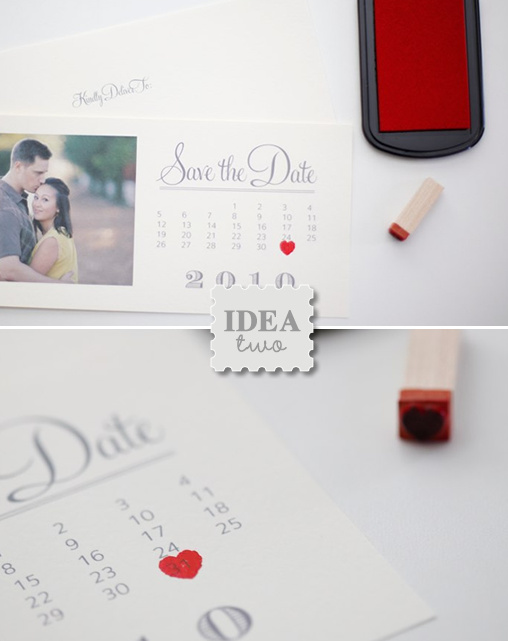
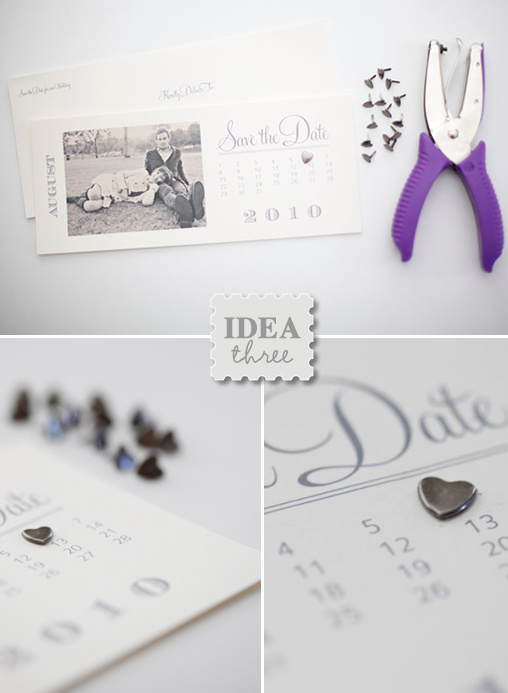
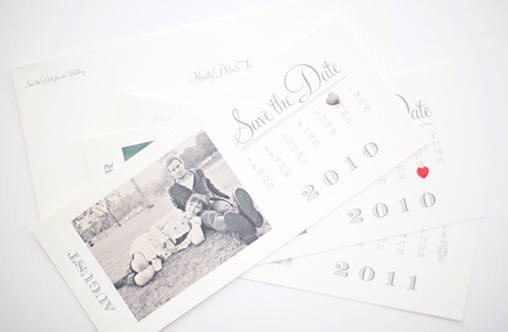
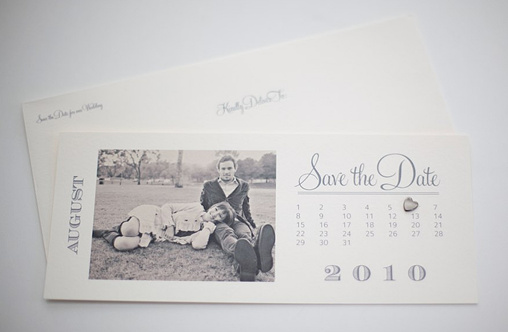
These lovely Indie Style 2012 Do It Yourself Photo Save the Date Calendar Cards are super simple and perfectly stylish. Download your Indie Style 2012 Do It Yourself Photo Save the Date Calendar Cards here. We have more Do It Yourself projects here.

Supplies Needed:
Printer, we love the Epson Stylus Photo 1400
#10 Luxe Fino Cream Flat Cards 25 for $6.25
#10 Open End Luxe Fino Cream Envelopes 10 for $5.50
Stamp and Ink
4—3 Photos (if you would like to attach an actual photo to the card)

1. Choose your favorite photo and print or trim to 4 inches by 3 inches and attach it to your Save the Date. You can go to your local photo lab or print them yourself on photo paper. (We have printed the image directly on the card.)
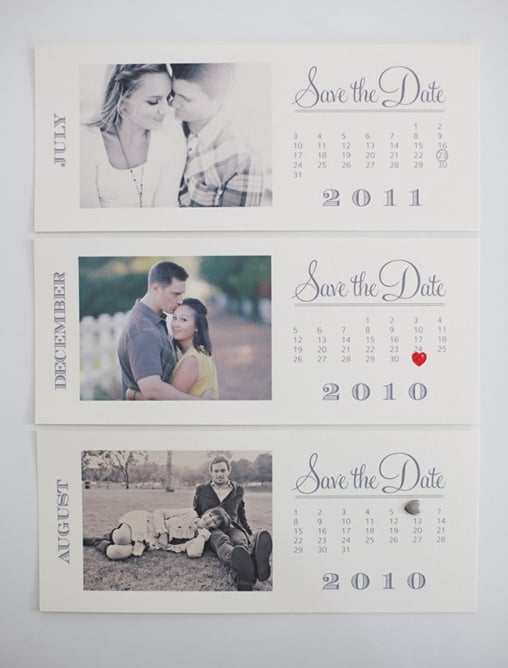
2. Simply print out your cards. We used the Epson Stylus Photo 1400 and it’s amazing! Perfect for all of your wedding DIY projects.

We got our card stock and envelopes at Paper Source.
#10 Luxe Fino Cream Flat Cards 25 for $6.25
#10 Open End Luxe Fino Cream Envelopes 10 for $5.50
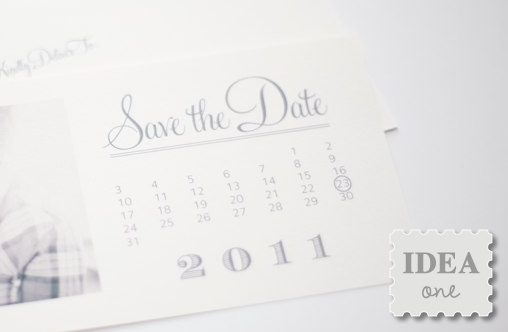
Hope you enjoy the new collection and thanks again to Ryan Ray Photography.

Download your Indie Style 2012 Do It Yourself Photo Save the Date Calendar Cards here.
You might also like our Original Save the Date Calendar Cards.

49

Categories: All DIY Projects, DIY Printable Wedding Templates
Tags: , , ,

We would love to hear what you whink

  1. I used these for the save the date, loved them, but now want to continue the theme for the invites and printing on the wedding day…any advice? I looked for the font, but cant seem to find it.

  2. It’s really a nice and helpful piece of information. I’m happy that you shared this useful info with us. Please keep us informed like this. Thank you for sharing.

  3. Is there a chance to have a 2012 template without including a photo? I mean it’s really nice that you all offer free DIY. But I really do not what to include a picture, because of the beautiful paper I purchased.

    Thanks,
    Charlene

  4. Does anyone know the font used? I am trying to figure out what to put on the back of the Save the Date. I feel like it should have more info, i.e. our names, our website, location, etc. Anyone have any suggestions?

  5. I absolutley love this save the date. How did you print the image directly on the card?

  6. I LOVE these!! I was able to figure out how to attach the photo on to this template through photoshop myself! I’m going to be getting these printed professionally (like at Staples or something), but I don’t see on here what the dimensions these are! Help!

  7. These are amazing, however I am unable to download the file! Any chance they can be sent me to in a different format?

  8. I love the look of these save the dates and would love to create one for my upcoming wedding. I am however unable to open ‘the do it your self’ link. I am wondering if you could please send my template via my e-mail cheryl.raie@gmail.com as soon as possible. Thank-you! Chelsea

  9. Love this idea- Is there any suggestion for adding additional text along the bottom of the card? A lot of my guests are coming from overseas so I wanted to add the location of the wedding or even something along the lines of formal invitation to follow.

  10. Hey, love the design, managed to change it for 2011… was just wondering what the font used here is called? Have been searching for it like crazy but can’t seem to find anything that matches.
    Please help.

  11. Thank you very much for those save the date cards! they are amazing! (and thank you for your website which is so great for the brides to be!) I’m french, and I’m gonna get married in July 2012,so could you please tell me which font do you use to put “juillet” instead of “July”? Moreover, could you fix the dates for july because the 21st (my date!) is not a sunday but a saturday? could this be update?thank you by advance.

  12. I am so in love with this! But I am so bummed you only have the 2012 available in this design. I’m getting married this year!! You should add a 2011 to this set.. . . pretty, please?

  13. Pingback: Calendar Save-the-Date's | The Aisle Style

  14. Is there any way to get these for 2011. I LOVE the font on these and would love to use them for my october 2011 wedding…

    I know a bunch of other people have posted about this, but I thought maybe one more vote will help!

  15. Love the idea, but I cannot view the images after downloading :( I saved the zip files etc. but once I try to open the jpeg file I am presented with the message ‘no preview available’. Could you help?

  16. Anyone know of a great lab that prints this size if I didnt want to print them myself?

  17. the closest font I could find was “secret code” on dafont.com
    now if only I could get these for 2011 months!

  18. I LOVE these. Did anyone find out what the font is on these save-the-dates?

  19. LOVE these + am using them for my baby sister’s Wedding… I’d like to create a return address stamp to fit this design – could you tell me the name of the font so that I can purchase/download it?

  20. So sorry to comment twice! Just hoping the June 2012 dates can be fixed!!

  21. The june 2012 dates are wrong…like which day of the week is which date in june…can you fix this please? I love these save the dates!! Thanks!

  22. Thanks so much for this free template! I really am excited for the new style. My wedding is in June 2012 so and it seems as though the June calender is the only one that is off on the dates. The 9th of June 2012 is a Saturday not a Sunday. It appears the June reflects the year 2013. Could this be changed/updated??? THANKS

  23. The dates are off for your calenders, well at least the June :) Is there any way these could get updated as I love the look, but they are unusable as our guests would be just slightly confused :)

  24. Try using google chrome as your browser, it works well with our downloads. The link is live and it will result in a zip file on your desktop or downloads folder. Once you open the zip file, you will have the whole set of 2012 Save the Dates, they are jpg files. Unfortunately we can’t offer technical support on our free downloads. We are sorry there are just not enough hours in the day. ):
    xo

  25. Where did you get the heart stamp? I can not find a stamp that tiny for the life of me. I’ve already checked Michael’s and Hobby Lobby.

  26. I’m going to be a pain and jump on these comments since the Wedding Invitation Suites don’t have an option to comment. The Bunting Invitation suite isn’t working. When I try to submit the info, it says it’s an invalid URL. Please help? Thank you!

  27. @Kamile, it’s a very large download so you need to make sure it’s complete.

  28. I downloaded theses but i am only getting march and january for the months and the envelope template. I need May 2012 how do I get that?

  29. love this template! any way to get it for 2011?? we are just about to send our Save the Dates for Sept 2011. thank you!

  30. Glad you like them. The calendar save the dates are always a hit. (:

Leave a Reply

*

Please be kind and courteous in your comments! We reserve the right to delete comments that we deem inappropriate, negative, distracting, or rude. If you have a problem with the content of the post, please contact us directly.